


WISH ESS
4.041.00 Reviews
App Specs
- Version
- 5.0.3
- Updated On
- License
- Free
- Downloads
- 10,000+
- Developer
- ProtaTECH Inc.
- Categories
- Events
- Platform
- Android
Screenshots
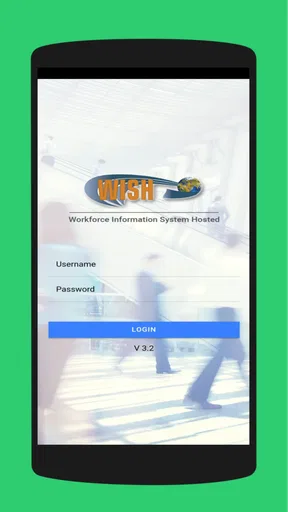
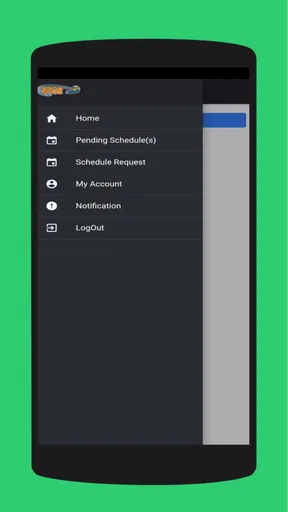
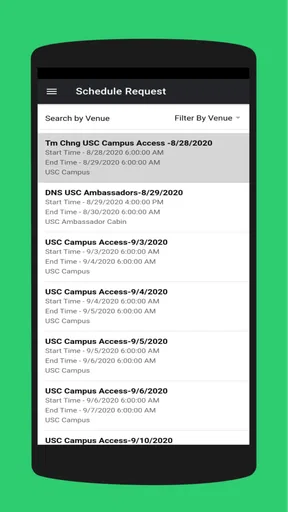
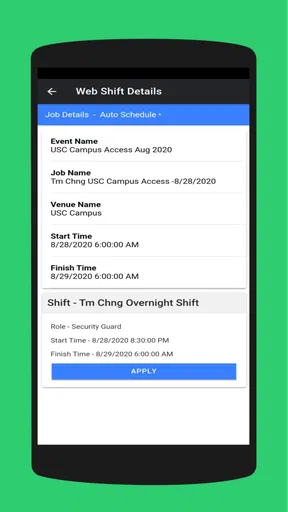
 Analysis by AppCompare
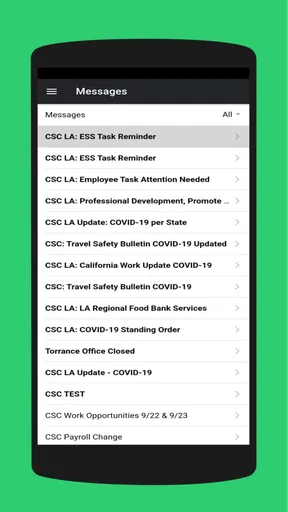
I look at WISH ESS as a very specific kind of mobile tool: an employee self-service portal, not a public event-discovery app or a place to shop. That distinction matters before you install it. Its usefulness depends on whether your workplace uses it and what employee tasks your organization makes available through it. If you are looking for a personal calendar of local events, this is not the right fit; if you need a phone-based route into your employer’s ESS, it may be worth having.
Why a work portal depends on a reliable connection
With an employee portal, the key moment is usually not browsing for fun. It is trying to check or submit something when you need it: before a shift, during a break, or while planning around work. In those situations, a stable connection can make the difference between a quick check and a frustrating wait. I would treat WISH ESS as a connected workplace service, rather than assume it can complete tasks without network access.
That changes how I would use it. If I needed to handle something time-sensitive, I would open the relevant screen while I had a dependable connection and allow time for it to load or finish processing. I would not leave an important submission until the last few minutes before a deadline, especially if I were relying on a weak signal. For routine checks, a brief delay is less consequential; for a task that needs confirmation, I would pause to make sure the action actually completed.
Where it fits into a working day
The practical appeal of a mobile ESS is being able to deal with employee matters without first finding a desktop computer. A realistic use case is checking the portal during a break to see what your workplace has made available, then returning to the task later if the connection is poor or you need more time. That can be more convenient than waiting until you are back at a computer, particularly for employees whose workday does not revolve around a desk.
There is a useful trade-off here: a phone makes access more immediate, but it is not always the best place for careful data entry or reading detailed information. I would use a larger screen when a task involves lots of fields, close comparison, or a longer review. For a quick check, a phone is sensible; for something important that deserves a careful second look, the portal’s mobile convenience should not replace a deliberate review.
What to do when a screen stalls
Connectivity problems can look like app problems, so I would avoid tapping repeatedly if a page appears to hang or an action seems incomplete. First, check whether the phone has a working connection and give the screen a moment. If it still does not respond, reopening the app is a more measured next step than submitting the same request several times. Before trying again, check whether the action already appears to have gone through, so you do not create duplicate work.
For anything consequential, I would keep a simple record of what I attempted and when, especially if the app does not show a clear completion state. If the issue persists, contact the appropriate workplace support channel rather than assuming that reinstalling the app will fix an account or service problem. WISH ESS sits within an employer’s process, so help with access may depend on the organization that issued the portal, not just the app developer.
Worth Reading Before You Choose

EA SPORTS FC Mobile 26 Is a Bigger Football Game, but It Takes Time

Flipboard Shows What News Apps Must Do Beyond the Feed

Switching to Android Auto Means Rethinking Your Driving Routine

Google Calendar Makes a Crowded Week Easier to Manage

Ludo King Makes the Most of the Minutes Between Plans

Baby Panda World Brings Quick Play to Modern Phones, but Its Game Library Feels Busy
Keeping mobile use sensible
On a limited data plan, I would reserve portal use for the checks and tasks I actually need, rather than repeatedly opening it to see whether something has changed. When possible, use a trusted connection for longer sessions or work that requires careful review. This is less about avoiding the app and more about not turning a small administrative task into a drain on attention, battery, or mobile data.
I would also be thoughtful about where I use an employee portal. A quick glance in a public place can be convenient, but anything involving personal work information deserves privacy. Locking the phone when finished and avoiding a shared or unattended device are basic habits that make sense for any workplace account. They matter just as much when an app is easy to open as when a task is being done on a computer.
What is WISH ESS?
Imagine a place where you can find everything from quirky gadgets to trendy clothes, all at the tip of your fingers. WISH ESS is an app designed for those who love the thrill of discovering unique, affordable products. It’s like having a mini-mall in your pocket, minus the crowds and the endless walking.
User-Friendly Interface
Right off the bat, the app’s interface is a winner. It’s clean, intuitive, and easy to navigate. You won’t find yourself lost in a maze of categories. Instead, everything is neatly organized, making it a breeze to find exactly what you’re looking for. Plus, the vibrant colors and appealing graphics make the browsing experience a visual treat.
Searching for products is straightforward – just type in your desired item, and bam! A plethora of options appear in seconds. The app also has a nifty filter feature, allowing you to narrow down your choices by price, rating, and more, which is a real time-saver.
Product Variety and Quality
One of the standout features of WISH ESS is its vast variety of products. Whether you’re hunting for the latest tech gadget or a unique piece of jewelry, this app has got you covered. It’s like the ultimate treasure hunt, where you never know what cool stuff you’ll stumble upon next.
Now, let’s talk about quality. I’ve ordered a few items myself, and I’d say the quality is decent for the price you pay. Of course, it’s wise to read the reviews and check ratings before making a purchase. Most of the time, the user reviews are spot on and give you a good idea of what to expect.
Deals and Discounts Galore
If you’re anything like me, you love a good deal. WISH ESS frequently offers discounts and flash sales, making it a bargain hunter’s paradise. The app even has a section dedicated to the latest deals, so you’re always in the loop about ongoing offers.
Plus, they have this cool feature called "Daily Deals," where you can snag some seriously amazing discounts on top products. It’s like having a personal shopper who knows exactly what you want and finds it at the best price.
Shopping Experience and Delivery
Shopping on WISH ESS is pretty seamless. The checkout process is straightforward, with multiple payment options available to suit everyone. What I really appreciate is the transparency in shipping details. You know exactly when your product will arrive, and you can track its journey right from the app.
Delivery times can vary, but in my experience, items usually arrive within the estimated timeframe. Sometimes, you might find yourself waiting a bit longer for international products, but hey, patience is a virtue, right?
Customer Support and Community
In the rare event that you run into an issue, WISH ESS has a supportive customer service team ready to help. I had a minor hiccup with an order, and their response was prompt and helpful. It’s reassuring to know that there’s a reliable team you can count on.
Additionally, the app fosters a community vibe. You can read reviews from fellow shoppers, ask questions, and even share your own experiences. It’s like being part of a big, friendly shopping club.
In conclusion, if you’re on the hunt for an app that makes shopping fun and easy, give WISH ESS a try. It’s packed with features that cater to both casual shoppers and deal hunters alike. With its user-friendly interface, diverse product range, and fantastic deals, it’s an app that deserves a spot on your phone. Happy shopping!
Who should install it, and what to expect
WISH ESS is published by ProtaTECH Inc. and is free to install, with an Everyone age rating. It belongs to the workplace self-service space, even though its listed Events category may make it sound like a general event app. I would choose it only if my employer points me to this specific portal; a general calendar app, email, or an HR website may be more useful for someone who simply wants to organize personal events or look up public information.
The app has a 4.0 average from around 114 ratings, alongside about 39 written reviews and over 10,000 installs. Those figures offer a little context, but they do not tell me whether the portal matches a particular employer’s setup. In practice, the important question is whether your organization uses WISH ESS and has enabled the parts you need. An employee should confirm that with their workplace before relying on it for a specific process.
It is currently at version 5.0.1 and supports Android 7.0 or later. That makes checking compatibility a sensible first step if you use an older device. I would also make sure the app is the one your employer recommends, rather than entering work credentials into a similarly named service. For access or account questions, your organization is the practical starting point.
A useful routine, not a replacement for every channel
For someone who regularly handles work administration on the move, the strongest case for WISH ESS is having an employee portal available on a phone. I would build a small routine around it: open it when I have enough time and a good connection, complete one task at a time, then check that the result is reflected before leaving the screen. That is more reliable than squeezing several important actions into a rushed moment between other responsibilities.
Compared with relying on desktop-only access, a mobile portal can save a trip to a computer for quick tasks. Compared with email or messaging a manager, it may be a more appropriate route when the employer has designated the portal for employee self-service. But those alternatives still have a place: email may be better when you need to explain a complicated situation, and a desktop may be easier for longer forms or close reading. The app is most valuable as one channel in a workplace process, not as a universal substitute for it.
My main recommendation is to try it with a low-stakes task first, while connected to a reliable network. That gives you a chance to learn how your organization’s version behaves and where to find its relevant information before something becomes urgent. If you need a consumer event planner, do not install it for that purpose. If your workplace uses this ESS portal and you want convenient mobile access, WISH ESS is a reasonable tool to keep on hand, provided you use it thoughtfully and know when to switch to a larger screen or contact workplace support.
Pros
- User-friendly interface for easy navigation.
- Wide variety of categories to explore.
- Frequent updates with new features.
- High-quality graphics and design.
- Customizable settings for personalized use.
Cons
- Requires a stable internet connection.
- Some features are behind a paywall.
- Occasional ads can be intrusive.
- Limited offline functionality.
- Notifications can be overwhelming.
FAQs for WISH ESS
What is WISH ESS and what does it offer?
WISH ESS is an innovative app designed to streamline employee self-service functions. It offers features such as attendance tracking, leave management, payroll information, and more. The app aims to simplify HR processes by allowing employees to access and manage their personal information directly from their mobile devices.
Is WISH ESS available for both Android and iOS devices?
Yes, WISH ESS is available for both Android and iOS platforms. Users can download the app from the Google Play Store for Android devices or the Apple App Store for iOS devices. This ensures easy accessibility for employees using different types of smartphones.
How secure is the data on WISH ESS?
WISH ESS prioritizes the security of user data by implementing robust encryption methods and secure login protocols. The app ensures that sensitive employee information, such as payroll and personal details, is protected against unauthorized access, giving users peace of mind when managing their data.
What are the system requirements for installing WISH ESS?
To install WISH ESS, Android users need a device running Android version 5.0 (Lollipop) or higher, while iOS users require iOS 11.0 or later. Additionally, a stable internet connection is necessary to ensure seamless access to all the app's features and functionalities.
Are there any costs associated with using WISH ESS?
WISH ESS is generally offered as a free app; however, certain advanced features or integrations may require a subscription or one-time purchase. It's advisable to check the app's pricing details on the respective app store or consult with your employer for any enterprise-specific arrangements.


